Skip to content
עו"ד ד"ר אהובה טיכו
052-9123118 חייגו עכשיו לשיחת ייעוץ!
לייעוץ ראשוני
  • דף הבית
  • אודות
  • תחומי התמחות
    • תביעת רשלנות רפואית
    • רשלנות רפואית בהריון
    • רשלנות רפואית בלידה
    • רשלנות רפואית באבחון סרטן
    • רשלנות בבדיקות סקר ובייעוץ גנטי
    • רשלנות רפואית בניתוחי עמוד שדרה
    • רשלנות רפואית בטיפולי פוריות
    • רשלנות ברפואה פנימית ומשפחה
    • רשלנות באורתופדיה כירורגית
    • רשלנות במתן תרופות שגויות
    • העדר רשומה רפואית
    • רשלנות רפואית בטיפול במחלת האפילפסיה
    • רשלנות בטיפולי שיניים
  • צור קשר
שתף:
/ מאמרים/ רשלנות בחיסוני תינוקות — מתי טעות בחיסון היא רשלנות | ד”ר אהובה טיכו

רשלנות בחיסוני תינוקות — מתי טעות בחיסון היא רשלנות | ד”ר אהובה טיכו

צריכים ייצוג אישי בענייני רשלנות רפואית?

פנייה מוקדמת עשויה להיות מפתח להצלחה. לפנייה מהירה לחץ כאן
עו"ד ד"ר אהובה טיכו עו"ד אהובה טיכו פורסם: 31 במאי 2026

חיסונים הם חלק חשוב ומציל חיים בשגרת הרפואה המונעת, והרוב המכריע ניתן ללא כל בעיה. אך מתן חיסון הוא פעולה רפואית לכל דבר, וכמו כל פעולה — היא כפופה לכללי זהירות. כאשר חיסון ניתן באופן שגוי או בניגוד להתוויות, ונגרם נזק, עולה שאלה לגיטימית האם היה אפשר למנוע אותו.

חשוב להבהיר: מאמר זה אינו עוסק בבטיחות החיסונים עצמם — שהוכחה במחקר נרחב — אלא בכשלים באופן מתן החיסון או בטיפול שסביבו. נסביר מתי טעות בחיסון תינוקות עשויה להצביע על רשלנות רפואית, מהן ההשלכות, כיצד מוכיחים זאת, ומה ניתן לעשות.

רשלנות בחיסוני תינוקות — הסבר רפואי ומשפטי | ד"ר אהובה טיכו


רשלנות בחיסוני תינוקות — הסבר רפואי ומשפטי | ד”ר אהובה טיכו

בחינה ראשונית של המקרה — ללא התחייבות

אם משהו במהלך ההיריון, המעקב או הלידה לא התנהל כשורה, ניתן להשאיר פרטים ונחזור אליכם לבחינה ראשונית.

    מה בעמוד?

    Toggle
    • מהי רשלנות במתן חיסון?
    • דפוסים שכיחים של רשלנות בחיסון
    • מהן ההשלכות האפשריות?
    • איך מוכיחים רשלנות בחיסון תינוקות?
    • התיישנות התביעה
    • מה גובה הפיצויים?
    • מתי כדאי לפנות לעורך דין?
    • שכר טרחה
    • מאמרים קשורים
    • לסיכום

    מהי רשלנות במתן חיסון?

    הרשלנות אינה בעצם החיסון, אלא באופן ביצועו או בנסיבות שסביבו. מתן חיסון מחייב בדיקה מקדימה של התאמת התינוק, יידוע ההורים, מתן נכון של התכשיר, ותיעוד. סטייה מאחד מאלה — למשל מתן חיסון למרות התוויית-נגד רפואית מתועדת — עלולה להוות רשלנות.

    המבחן הוא תמיד מבחן “הרופא/האחות הסביר”: האם איש מקצוע סביר, נוכח אותם נתונים, היה פועל אחרת.

    דפוסים שכיחים של רשלנות בחיסון

    אלה המצבים הנבחנים לרוב:

    • מתן חיסון בניגוד להתוויית-נגד רפואית מתועדת (כגון אלרגיה ידועה או דיכוי חיסוני).
    • טעות במינון, בסוג החיסון או באופן ההזרקה.
    • אי-זיהוי וטיפול מאוחר בתגובה אלרגית/אנפילקטית מיד לאחר החיסון.
    • חוסר ביידוע ההורים על תופעות לוואי וסימני אזהרה שמחייבים פנייה דחופה.
    • שמירה לקויה של החיסון (שרשרת קור) שפגעה ביעילותו.

    קיומו של דפוס כזה אינו קובע כשלעצמו רשלנות; הקביעה נעשית על בסיס חוות דעת מומחה ובחינת מלוא התיעוד.
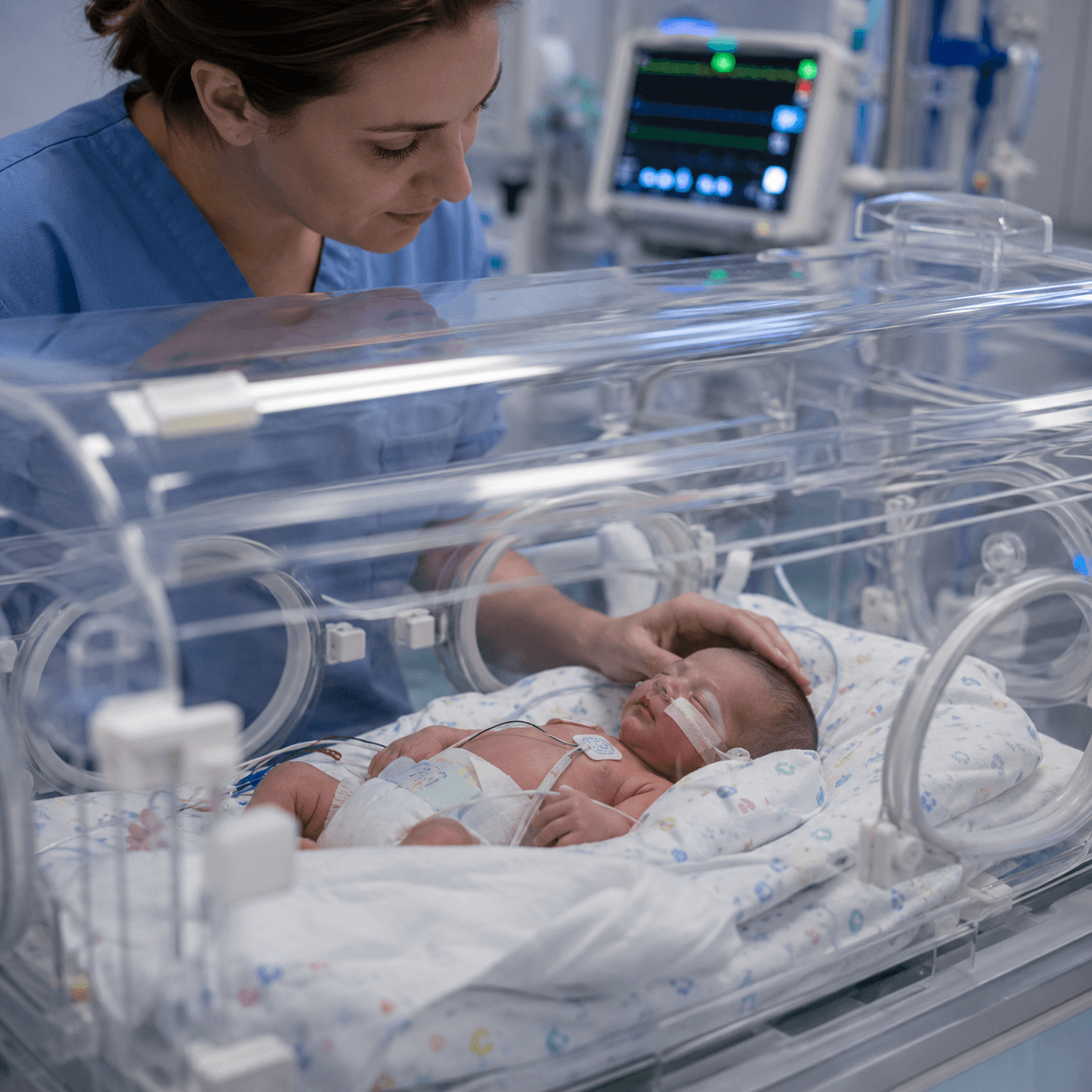
    מעקב וטיפול בתינוק לאחר חיסון

    מהן ההשלכות האפשריות?

    ההשלכות תלויות בטיב הכשל: תגובה אלרגית קשה שלא טופלה בזמן, נזק מקומי עקב הזרקה שגויה, פגיעה בריאותית בשל חיסון שניתן למרות התוויית-נגד, או היעדר הגנה עקב חיסון פגום. חלק מהפגיעות חולפות, ואחרות עלולות להיות מתמשכות.

    איך מוכיחים רשלנות בחיסון תינוקות?

    ההוכחה נשענת על ארבעת יסודות עוולת הרשלנות שבפקודת הנזיקין [נוסח חדש] (סעיפים 35–36): חובת זהירות, הפרתה, נזק, וקשר סיבתי בין ההפרה לנזק. הקשר הסיבתי הוא לרוב הסוגיה המרכזית — יש להראות שהנזק נגרם מהכשל ולא מגורם אחר.

    אבן היסוד היא חוות דעת רפואית מומחה. נבדקים פנקס החיסונים, הרשומה בטיפת חלב או במרפאה, תיעוד ההתוויות וההתוויות-נגד, ומה שתועד מיד לאחר החיסון. חוק זכויות החולה, התשנ”ו–1996, מחייב תיעוד ויידוע מסודרים.

    בחינת פנקס חיסונים ורשומה רפואית

    התיישנות התביעה

    מאחר שהנפגע הוא תינוק, תקופת ההתיישנות אינה מתחילה כל עוד הוא קטין — היא נספרת ככלל מגיל 18, כך שניתן לרוב להגיש תביעה עד גיל 25. עם זאת מומלץ לא להמתין, שכן שימור הראיות קל יותר ככל שהפנייה מוקדמת.

    מה גובה הפיצויים?

    הפיצוי נגזר מהיקף הנזק: בפגיעה זמנית הוא מצומצם, ובפגיעה מתמשכת הוא רחב יותר וכולל טיפולים, עזרת זולת, ולעיתים אובדן השתכרות עתידי, וכן כאב וסבל. אין דרך לנקוב בסכום מראש; הוא נקבע לפי חוות הדעת והכרעת בית המשפט. כל מקרה נבחן לגופו.

    מתי כדאי לפנות לעורך דין?

    הזמן הנכון הוא כאשר עולה תחושה שמשהו במתן החיסון או בטיפול שסביבו לא התנהל כשורה — גם בלי ודאות. בחינה ראשונית על בסיס הרשומה הרפואית מאפשרת לדעת אם יש בסיס להמשך, בלי התחייבות.

    שכר טרחה

    בתיקי רשלנות רפואית נהוג לרוב מודל שכר טרחה מבוסס הצלחה — חלק מהותי מהשכר משולם רק אם וכאשר מתקבל פיצוי. לצד זאת קיימות הוצאות נלוות, ובראשן עלות חוות הדעת הרפואית. תנאי ההתקשרות נסגרים בכתב ובשקיפות מראש.

    רוצים שנבחן את התיק שלכם?

    השאירו פרטים, ועורך דין מהמשרד יחזור אליכם לבחינה ראשונית של המקרה על בסיס הרשומה הרפואית.

      מאמרים קשורים

      להרחבה בנושאים קשורים מהתחום:

      • רשלנות רפואית במהלך הריון
      • רשלנות בטיפול נמרץ יילודים (NICU)
      • תביעת רשלנות רפואית בהריון

      לסיכום

      חיסונים הם פעולה רפואית מצילת חיים, והרוב המכריע ניתן ללא בעיה. אך כאשר חיסון ניתן בניגוד להתוויה, במינון או באופן שגוי, או שתגובה לא טופלה בזמן ונגרם נזק — ייתכן שמדובר ברשלנות שניתן לבחון משפטית. הבדיקה נעשית באמצעות חוות דעת רפואית מומחה ובחינה של מלוא הרשומה הרפואית.

      המשרד מנוסה בתיקי רשלנות רפואית בילדים ובתינוקות. כל מקרה נבחן לגופו על בסיס חוות דעת רפואית מומחה. לבחינה ראשונית של המקרה שלך, ניתן ליצור קשר עם משרדנו »

      אודות הכותב
      עו"ד ד"ר אהובה טיכו
      עו"ד אהובה טיכועו״ד רשלנות רפואית - ד״ר אהובה טיכו
      עו״ד ד״ר אהובה טיכו – מקימת המשרד מהמובילים בתחום הרשלנות הרפואית בישראל, מנהלת אסטרטגיות משפטיות מתקדמות, ומובילה משרד בעל הישגים מוכחים לטובת נפגעי רשלנות רפואית.
      עו"ד ד"ר אהובה טיכו
      עו"ד אהובה טיכו עו״ד רשלנות רפואית - ד״ר אהובה טיכו
      נשמור על אינטרסים שלך בגירושין
      השאירו פרטים ונחזור אליכם בהקדם

        מה בעמוד?

        Toggle
        • מהי רשלנות במתן חיסון?
        • דפוסים שכיחים של רשלנות בחיסון
        • מהן ההשלכות האפשריות?
        • איך מוכיחים רשלנות בחיסון תינוקות?
        • התיישנות התביעה
        • מה גובה הפיצויים?
        • מתי כדאי לפנות לעורך דין?
        • שכר טרחה
        • מאמרים קשורים
        • לסיכום
        יצירת קשר
        map כתובת:רח' רבי פנחס 4 ב', תל אביב-יפו
        map דוא”ל:ahuva@atlaw.co.il
        map טלפון:052-9123118
        map וואטסאפ:0523777555
        map שעות פעילות:א’-ה’ 9:00-17:00
        יום ו' 09:00-14:00
        ניווט מהיר
        אודות המשרד מאמרים צרו קשר הצהרת נגישות מדיניות פרטיות
        תחומי התמחות
        רשלנות רפואית בהריון רשלנות רפואית בלידה רשלנות רפואית באבחון לקוי רשלנות רפואית באבחון סרטן רשלנות רפואית טיפולי פוריות רשלנות רפואית במהלך הריון
        מאמרים אחרונים
        רשלנות רפואית במחלת הסוכרת רשלנות רפואית בהיפוגליקמיה בהריון רשלנות רפואית חיסוני קורונה רשלנות רפואית באבחון סרטן הערמונית רשלנות רפואית בקרדיולוגיה רשלנות רפואית באונקולוגיה
        logo
        social social social
        זכויות יוצרים 2025 Ⓒ כל הזכויות שמורות לעו”ד אהובה טיכו
        הצהרת נגישות | תקנון
        קידום אתרים | UI UX
        052-3777555
        אהובה טיכו | עורך דין רשלנות רפואית
        נלחמת על האינטרסים שלך השארו פרטים ונחזור אליכם בהקדם

          phone רוצה לשוחח phone פנייה בוואטסאפ phone יצירת קשר
            התאמות נגישות באתר
            בחרו פרופיל הנגישות המתאים עבורכם
            מצב בטוח לאפילפסיה
            מרטיב את הצבע ומסיר מצמוצים
            מצב זה מאפשר לאנשים עם אפילפסיה להשתמש באתר בבטחה על ידי ביטול הסיכון להתקפים הנובעים מהנפשות מהבהבות או מהבהבות ושילובי צבעים מסוכנים.
            מצב לקוי ראייה
            משפר את הוויזואליה של האתר
            מצב זה מתאים את האתר לנוחיותם של משתמשים עם ליקויי ראייה כגון ראייה משפילה, ראיית מנהרה, קטרקט, גלאוקומה ועוד.
            מצב מוגבלות קוגניטיבית
            עוזר להתמקד בתוכן ספציפי
            מצב זה מספק אפשרויות סיוע שונות כדי לעזור למשתמשים עם ליקויים קוגניטיביים כגון דיסלקציה, אוטיזם, CVA ואחרים, להתמקד במרכיבים החיוניים של האתר ביתר קלות.
            ADHD ידידותי ל
            מפחית הסחות דעת ומשפר את המיקוד
            מצב זה מספק אפשרויות סיוע שונות כדי לעזור למשתמשים עם ליקויים קוגניטיביים כגון דיסלקציה, אוטיזם, CVA ואחרים, להתמקד במרכיבים החיוניים של האתר ביתר קלות.
            מצב עיוורון
            מאפשר שימוש באתר עם קורא המסך שלך
            מצב זה מגדיר את האתר כך שיהיה תואם לקוראי מסך כגון JAWS, NVDA, VoiceOver ו-TalkBack. קורא מסך הוא תוכנה למשתמשים עיוורים המותקנת במחשב ובסמארטפון, ואתרי אינטרנט חייבים להיות תואמים לה..
            התאמות טקסט והתוכן
            גופן קריא
            הדגש קישורים
            הדגש כותרות
            קנה מידה של תוכן
            ברירת מחדל
            גודל גופן
            ברירת מחדל
            ריווח אותיות
            ברירת מחדל
            גובה קו
            ברירת מחדל
            זכוכית מגדלת טקסט
            ידידותית לדיסלקציה
            מיושר לימין
            מיושר למרכז
            מיושר לשמאל
            התאמות צבעים ותצוגה
            ניגודיות כהה
            ניגודיות אור
            ניגודיות גבוה
            רוויה גבוהה
            רוויה נמוכה
            מונוכרום
            התאם את צבעי הטקסט
            התאם את צבעי הכותרת
            התאם את צבעי הרקע
            התמצאות קלה
            השתקת צלילים
            הסתר תמונות
            מקלדת וירטואלית
            מדריך קריאה
            עצור אנימציות
            מסכת קריאה
            הדגש את הרחף
            הדגש פוקוס
            סמן שחור גדול
            סמן אור גדול
            מקשי ניווט

            הצהרת נגישות

            Digitouch © כל הזכויות שמורות
            Accessibility Statement
            • atlaw.co.il
            • 31/05/2026
            Compliance status

            We firmly believe that the internet should be available and accessible to anyone, and are committed to providing a website that is accessible to the widest possible audience, regardless of circumstance and ability.

            To fulfill this, we aim to adhere as strictly as possible to the World Wide Web Consortium’s (W3C) Web Content Accessibility Guidelines 2.1 (WCAG 2.1) at the AA level. These guidelines explain how to make web content accessible to people with a wide array of disabilities. Complying with those guidelines helps us ensure that the website is accessible to all people: blind people, people with motor impairments, visual impairment, cognitive disabilities, and more.

            This website utilizes various technologies that are meant to make it as accessible as possible at all times. We utilize an accessibility interface that allows persons with specific disabilities to adjust the website’s UI (user interface) and design it to their personal needs.

            Additionally, the website utilizes an AI-based application that runs in the background and optimizes its accessibility level constantly. This application remediates the website’s HTML, adapts Its functionality and behavior for screen-readers used by the blind users, and for keyboard functions used by individuals with motor impairments.

            If you’ve found a malfunction or have ideas for improvement, we’ll be happy to hear from you. You can reach out to the website’s operators by using the following email

            Screen-reader and keyboard navigation

            Our website implements the ARIA attributes (Accessible Rich Internet Applications) technique, alongside various different behavioral changes, to ensure blind users visiting with screen-readers are able to read, comprehend, and enjoy the website’s functions. As soon as a user with a screen-reader enters your site, they immediately receive a prompt to enter the Screen-Reader Profile so they can browse and operate your site effectively. Here’s how our website covers some of the most important screen-reader requirements, alongside console screenshots of code examples:

            1. Screen-reader optimization: we run a background process that learns the website’s components from top to bottom, to ensure ongoing compliance even when updating the website. In this process, we provide screen-readers with meaningful data using the ARIA set of attributes. For example, we provide accurate form labels; descriptions for actionable icons (social media icons, search icons, cart icons, etc.); validation guidance for form inputs; element roles such as buttons, menus, modal dialogues (popups), and others. Additionally, the background process scans all of the website’s images and provides an accurate and meaningful image-object-recognition-based description as an ALT (alternate text) tag for images that are not described. It will also extract texts that are embedded within the image, using an OCR (optical character recognition) technology. To turn on screen-reader adjustments at any time, users need only to press the Alt+1 keyboard combination. Screen-reader users also get automatic announcements to turn the Screen-reader mode on as soon as they enter the website.

              These adjustments are compatible with all popular screen readers, including JAWS and NVDA.

            2. Keyboard navigation optimization: The background process also adjusts the website’s HTML, and adds various behaviors using JavaScript code to make the website operable by the keyboard. This includes the ability to navigate the website using the Tab and Shift+Tab keys, operate dropdowns with the arrow keys, close them with Esc, trigger buttons and links using the Enter key, navigate between radio and checkbox elements using the arrow keys, and fill them in with the Spacebar or Enter key.Additionally, keyboard users will find quick-navigation and content-skip menus, available at any time by clicking Alt+1, or as the first elements of the site while navigating with the keyboard. The background process also handles triggered popups by moving the keyboard focus towards them as soon as they appear, and not allow the focus drift outside of it.

              Users can also use shortcuts such as “M” (menus), “H” (headings), “F” (forms), “B” (buttons), and “G” (graphics) to jump to specific elements.

            Disability profiles supported in our website
            • Epilepsy Safe Mode: this profile enables people with epilepsy to use the website safely by eliminating the risk of seizures that result from flashing or blinking animations and risky color combinations.
            • Visually Impaired Mode: this mode adjusts the website for the convenience of users with visual impairments such as Degrading Eyesight, Tunnel Vision, Cataract, Glaucoma, and others.
            • Cognitive Disability Mode: this mode provides different assistive options to help users with cognitive impairments such as Dyslexia, Autism, CVA, and others, to focus on the essential elements of the website more easily.
            • ADHD Friendly Mode: this mode helps users with ADHD and Neurodevelopmental disorders to read, browse, and focus on the main website elements more easily while significantly reducing distractions.
            • Blindness Mode: this mode configures the website to be compatible with screen-readers such as JAWS, NVDA, VoiceOver, and TalkBack. A screen-reader is software for blind users that is installed on a computer and smartphone, and websites must be compatible with it.
            • Keyboard Navigation Profile (Motor-Impaired): this profile enables motor-impaired persons to operate the website using the keyboard Tab, Shift+Tab, and the Enter keys. Users can also use shortcuts such as “M” (menus), “H” (headings), “F” (forms), “B” (buttons), and “G” (graphics) to jump to specific elements.
            Additional UI, design, and readability adjustments
            1. Font adjustments – users, can increase and decrease its size, change its family (type), adjust the spacing, alignment, line height, and more.
            2. Color adjustments – users can select various color contrast profiles such as light, dark, inverted, and monochrome. Additionally, users can swap color schemes of titles, texts, and backgrounds, with over 7 different coloring options.
            3. Animations – epileptic users can stop all running animations with the click of a button. Animations controlled by the interface include videos, GIFs, and CSS flashing transitions.
            4. Content highlighting – users can choose to emphasize important elements such as links and titles. They can also choose to highlight focused or hovered elements only.
            5. Audio muting – users with hearing devices may experience headaches or other issues due to automatic audio playing. This option lets users mute the entire website instantly.
            6. Cognitive disorders – we utilize a search engine that is linked to Wikipedia and Wiktionary, allowing people with cognitive disorders to decipher meanings of phrases, initials, slang, and others.
            7. Additional functions – we provide users the option to change cursor color and size, use a printing mode, enable a virtual keyboard, and many other functions.
            Browser and assistive technology compatibility

            We aim to support the widest array of browsers and assistive technologies as possible, so our users can choose the best fitting tools for them, with as few limitations as possible. Therefore, we have worked very hard to be able to support all major systems that comprise over 95% of the user market share including Google Chrome, Mozilla Firefox, Apple Safari, Opera and Microsoft Edge, JAWS and NVDA (screen readers), both for Windows and for MAC users.

            Notes, comments, and feedback

            Despite our very best efforts to allow anybody to adjust the website to their needs, there may still be pages or sections that are not fully accessible, are in the process of becoming accessible, or are lacking an adequate technological solution to make them accessible. Still, we are continually improving our accessibility, adding, updating and improving its options and features, and developing and adopting new technologies. All this is meant to reach the optimal level of accessibility, following technological advancements. For any assistance, please reach out to